
Accessing Voicemail Messages of Users
Do you need to access the voicemail messages of one of your users? Maybe they have been terminated, or they are on vacation. Whatever the reason, you need to access the voicemail message of a user.
Voicemail Privacy
Now, as an office manager; There is no specific feature that gives you access to user voicemail messages. That being said, there is a workaround that may be necessary in specific instances and as an office manager.
Accessing Voicemail Via Email
If you have access to the users email, and they have enabled 'Voicemail to email." It would be faster to access the messages that way (assuming they have not been deleted the messages)
Voicemail Access Workaround
1. Log into your manager portal.
2. Select 'Users' and the user you wish to access the messages for.
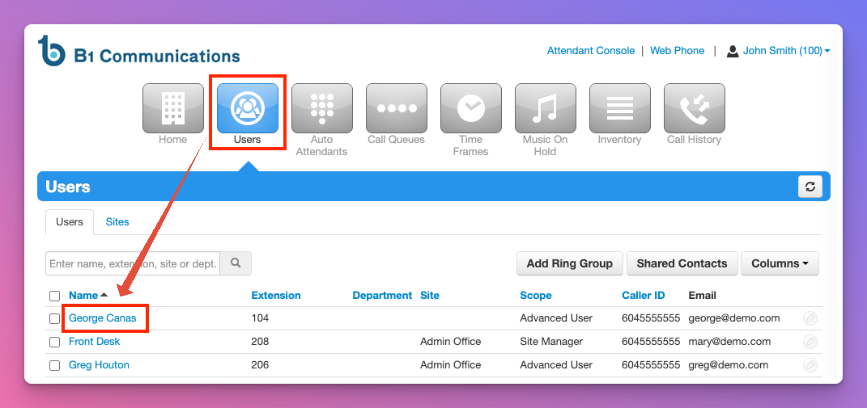
3. Select 'Voicemail' on the sub-menu of the user.
4. Check to see how many voicemail messages this user has new/saved in their inbox.
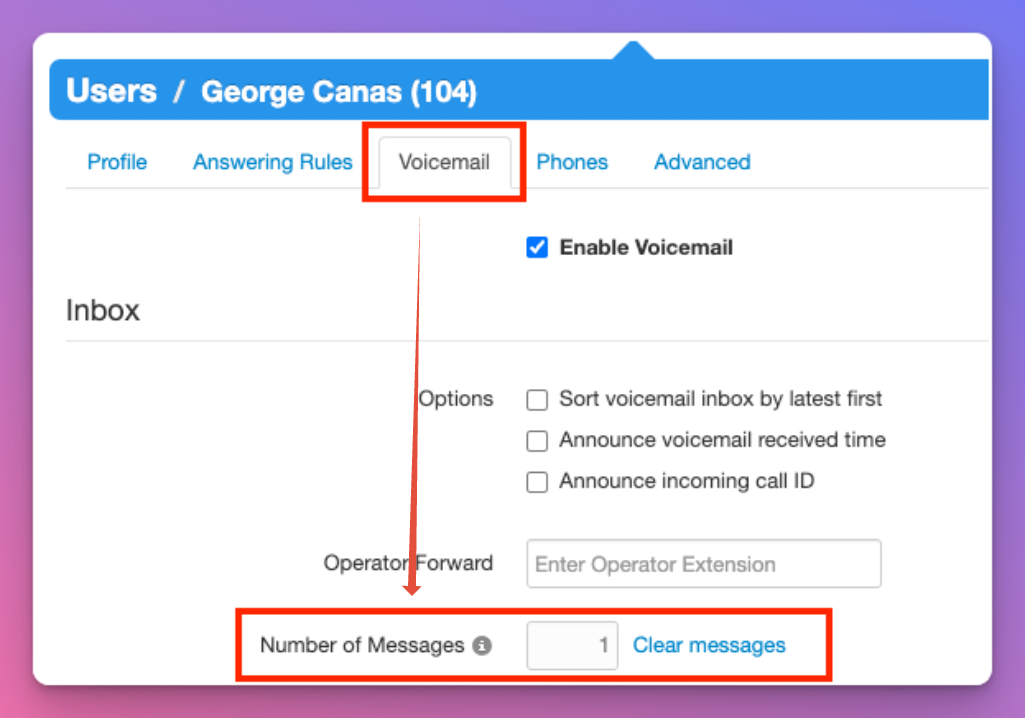
Now that you have confirmed they have voicemail messages. You'll need to update the users profile.
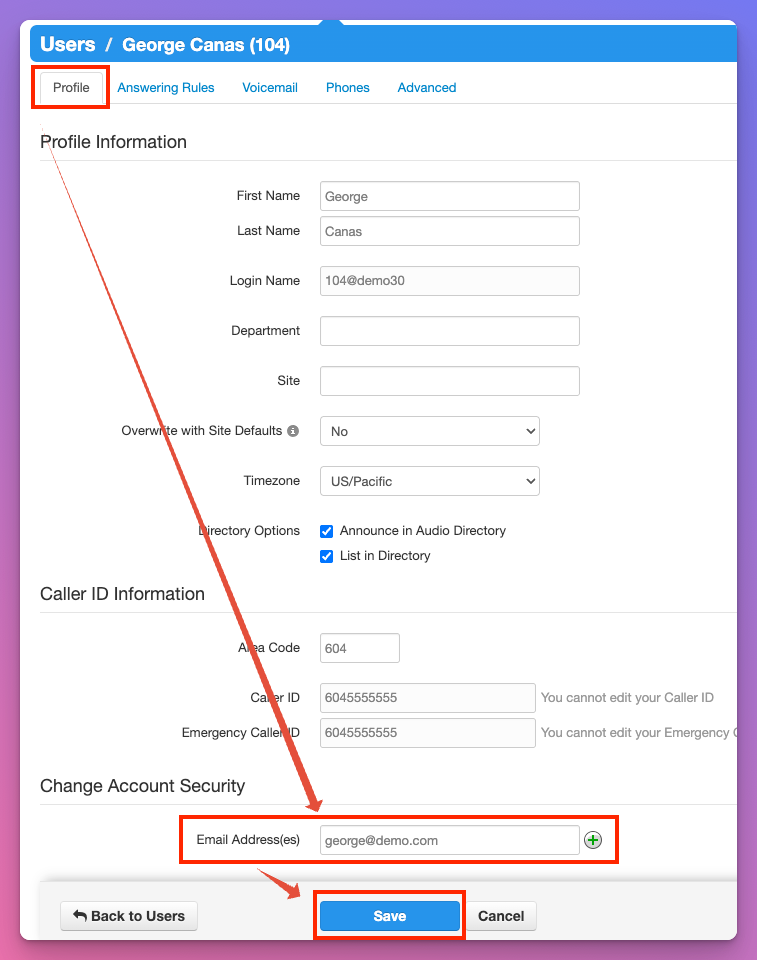
5. In the users Sub-Menu, select the 'Profile' tab.
6. Scroll to the bottom and update the email address with your own.
7. Select Save
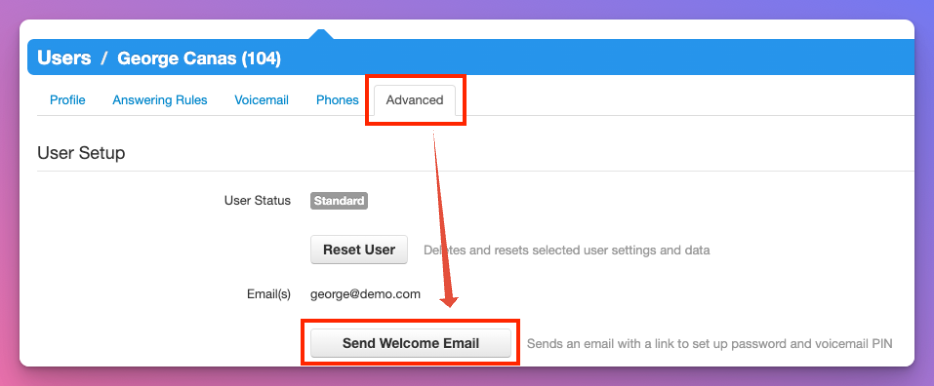
8. In the users sub-menu, select 'Advanced'
9. Confirm the email address listed is your own
10. Select 'Send Welcome Email'
11. You'll receive a Welcome Email with a link.
12. Update the users password and log in using their extension number and password.
13. You now have access to the users voicemail messages by selecting 'Messages' on the top menu.