Add Shared Contacts For Your Team
Useful for suppliers, stakeholders, customers & partners that your team call on a regular basis.
We presently do not have an auto-sync for contacts or outlook, but we are exploring this feature for the future.
Create Shared Contacts
1. Log into your manager portal.
2. Select Users on your top navigation bar.
3. Select the 'Shared Contacts' button.
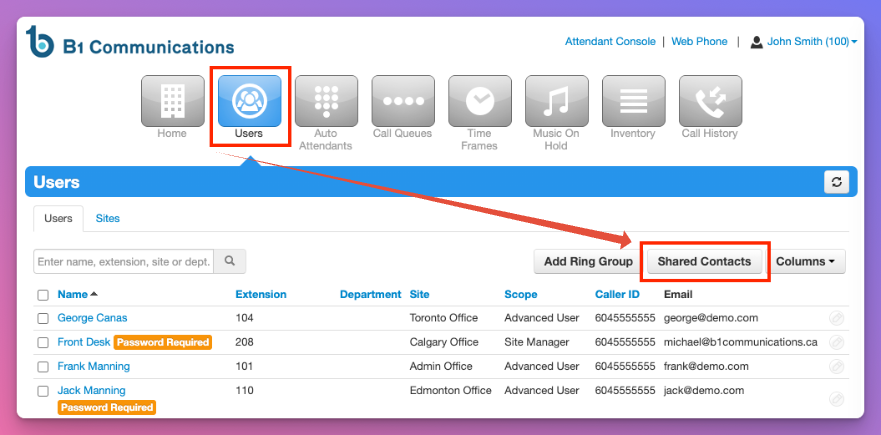
4. You have 2 options when adding numbers.
1. Individually added contacts by selecting 'Add Shared Contacts"
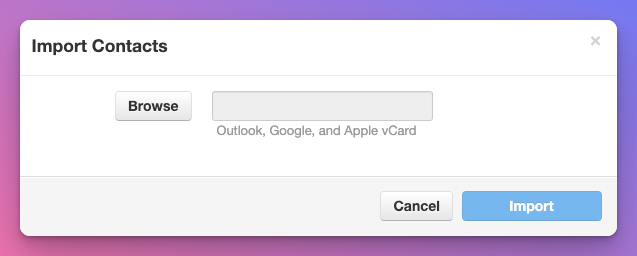
2. Select Import to add contacts in bulk by using (Outlook, Google or Apple vCard)
1. Export your contacts from Outlook, Google or Apple Contacts)
2. Import to your B1 Communications Portal.