
Send a Welcome Email
Sending a welcome email is a great way to introduce your phone system to a new employee.
Welcome Email Includes
✔ Setup Online Portal Password
✔ User Extension & Login Name
✔ Setup-by-step tutorial videos
✔ Links for Mobile & Webphone Access
Sending a Welcome Email
1. Log into your manager portal.
2. Select the user you wish to manage.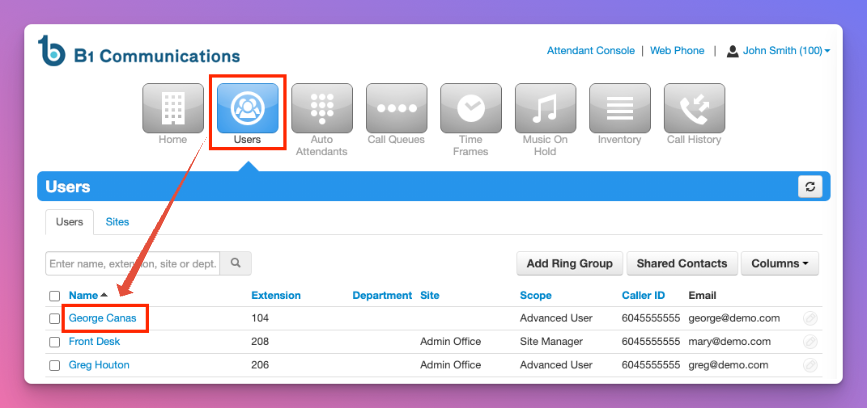 S3. In the sub-menu, select 'Advanced'
4. Send Welcome Email.
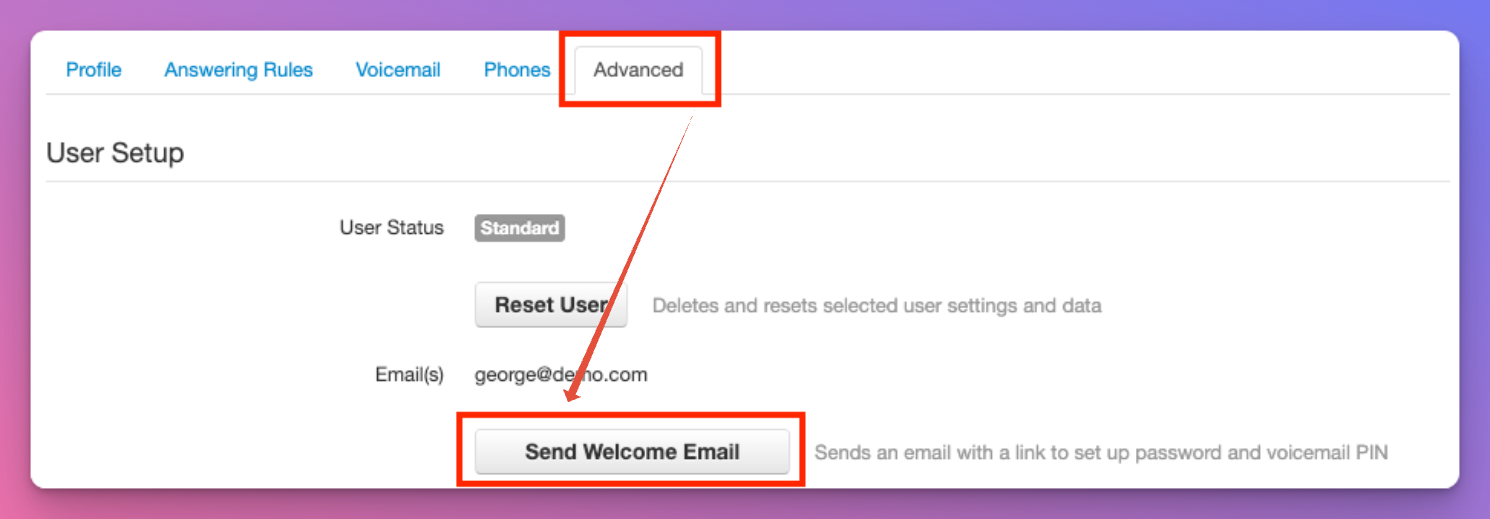
5. The email will be sent from system@portal.b1communications.ca